Collection tracking for installment sales
Installments are a common way to pay for a new home. Once the contract is signed, the real work begins: which installment is due when, which customer is late, and how much is expected to come in by the end of the month. FORA ties the payment plan to the contract and applies every collection to the right installment, so the finance team can answer these questions without merging spreadsheets.
The payment plan lives with the contract
You create the installment schedule together with the sale. You can generate equal monthly installments from a start date in one step, then edit amounts and dates row by row. FORA warns you when the installment total does not match the sale price.
When several units are sold on one contract you have two options: a separate plan for each unit, or one shared plan for all of them. With a shared plan, reports split the amounts per unit automatically. A collection against a shared plan is also split across the units in proportion to their sale prices, down to the cent.
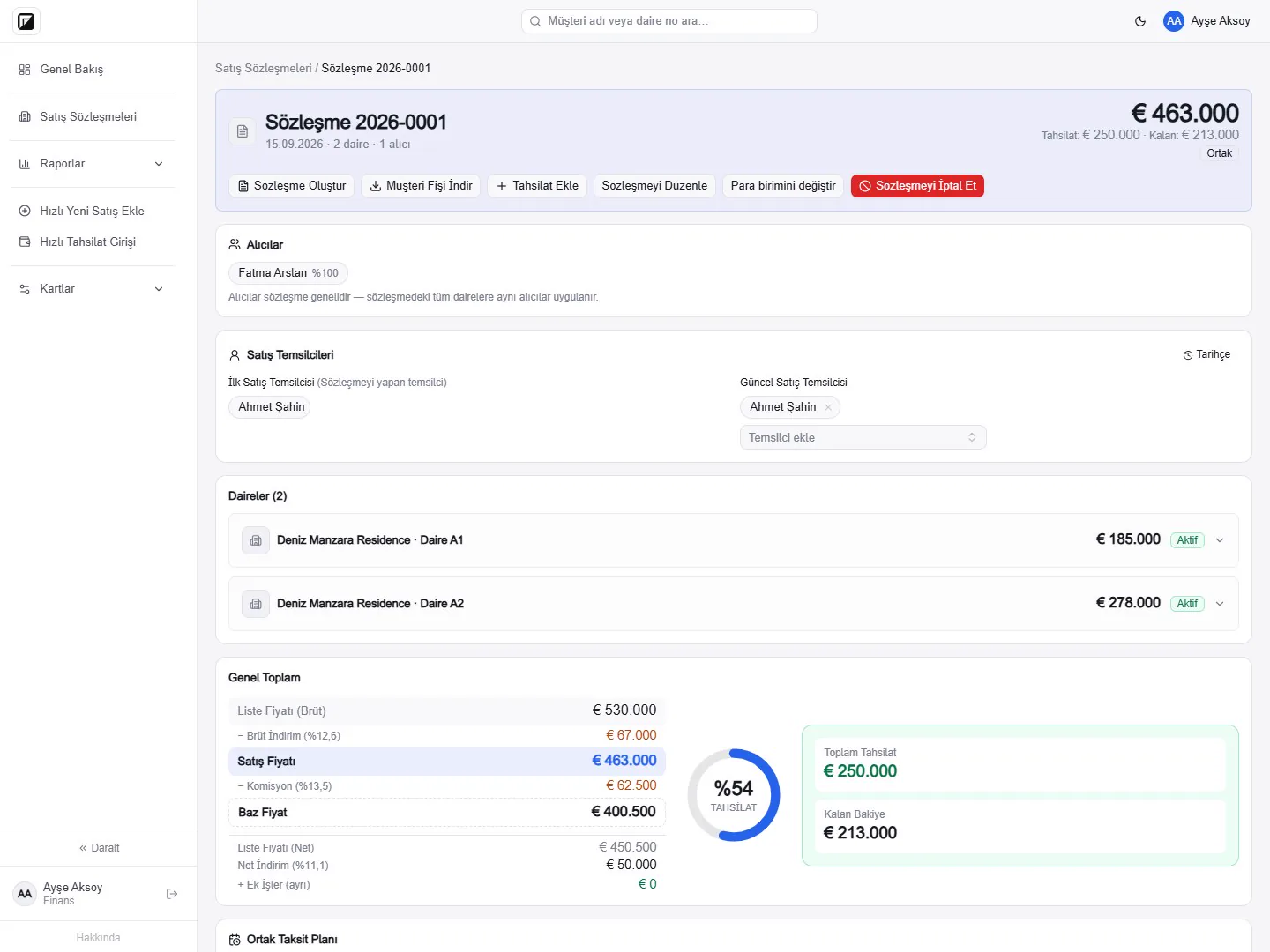
Entering and allocating collections
You record a collection from the contract card or from the quick collection screen, as a bank transfer or cash. Each payment is allocated to installments in order, starting with the oldest due date, and partial payments close in the same order. Remaining balances and overdue amounts are therefore always current. A collection entered by mistake can be edited or deleted, and these changes are written to the activity log as well. Collections are entered by users with the Finance role; the Sales and Manager roles can view the payment tables.
You can download a payment summary for the buyer as a Customer Receipt PDF. The Customer Receipt never contains commission information.
Overdue payments and expected collections
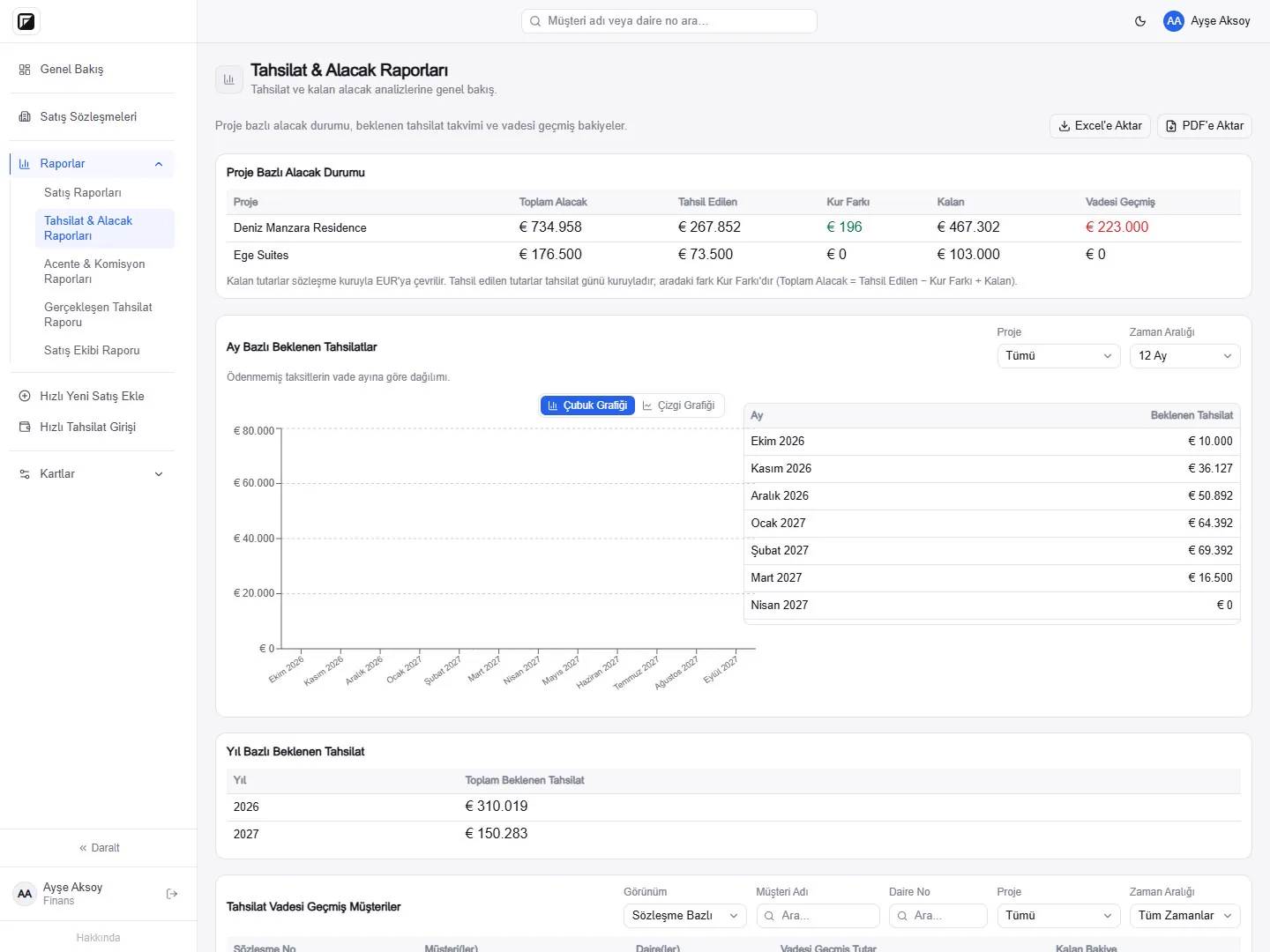
The Collections and Receivables report shows total receivables, collected and remaining amounts per project. Unpaid installments are grouped by due month, so expected collections for the coming months and years appear as tables and charts. Overdue customers are listed per contract together with how long they are overdue. The Realized Collections report summarizes what actually came in during the period you choose. Reports can be exported to Excel and PDF.
Extra works and expenses
Extra works outside the sale price are added to the contract separately and collected separately, so they never mix with the sale price. Expense items are recorded on the contract too. Whether the buyer or the seller pays the expenses is stated on the contract and carried into the Word contract with the same information.
Sales in foreign currency
Each contract is held in its own currency with an exchange rate locked to the contract. Realized collections are converted to the reporting currency at the Central Bank of the Republic of Türkiye rate for the collection date (or a manually entered rate when needed), and unpaid amounts at the rate locked to the contract; the difference is shown separately as an exchange difference. Amounts in different currencies are never added together as raw figures.
Notifications for your team
If you wish, WhatsApp notifications are switched on during onboarding for the numbers of your Manager and Finance users: when a new collection is entered, the project, unit, customer and amount are sent to those numbers.