Apartment sales tracking for developers
A single project can have hundreds of units, several sales channels and an availability list that changes every day. When that information is spread across spreadsheets, emails and people's memory, the same questions come up again and again: which unit is sold, to whom, and at what price? FORA brings apartment sales together in one place, from the project down to the contract, so the sales team, finance and management all look at the same data.
Projects and units in one list
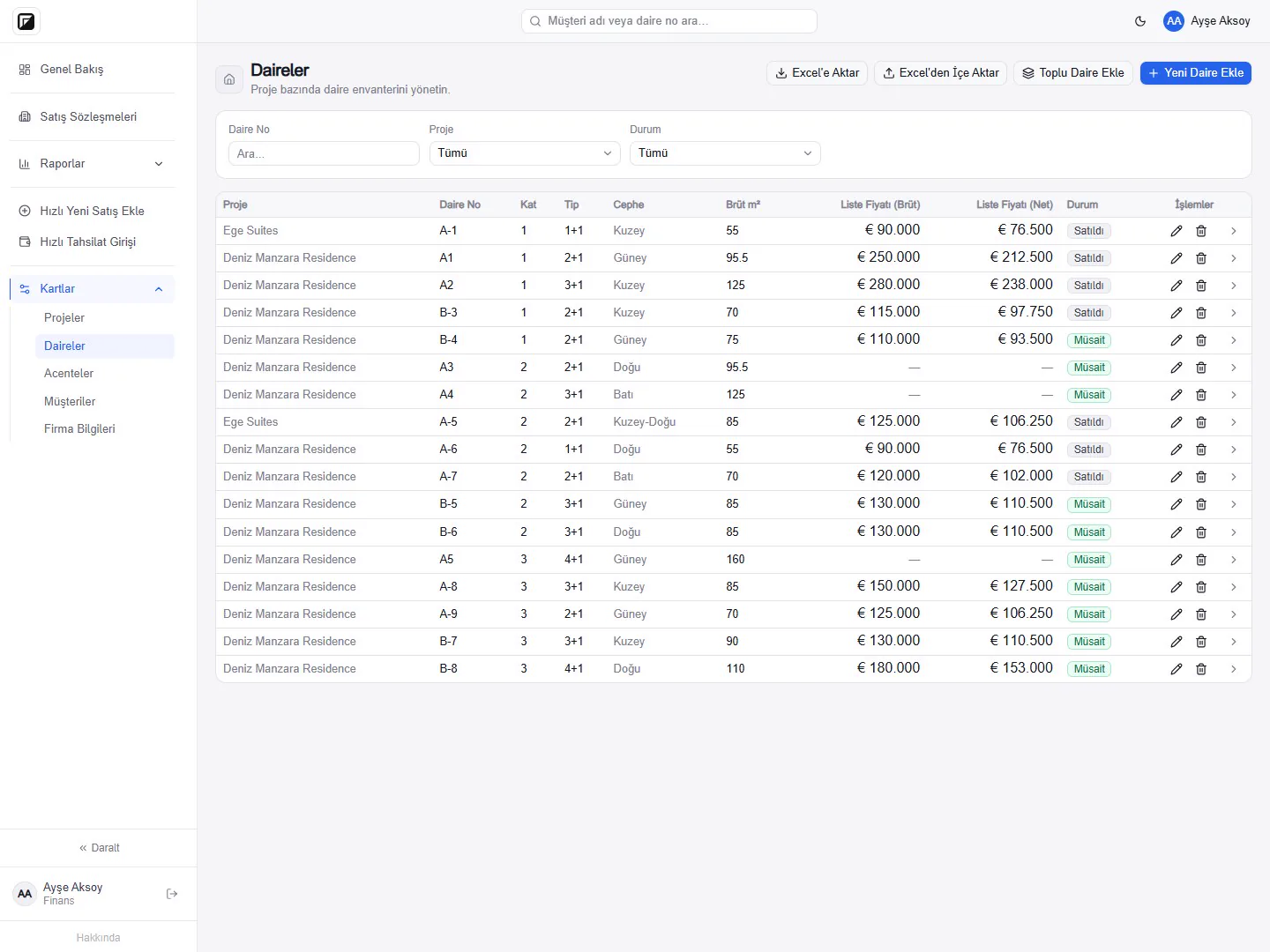
For each project you define the units with block, unit number, floor, type, facade and gross area. List prices are kept gross and net. Every unit shows its status as Available, Reserved or Sold, and the status updates automatically when a sale is entered.
If your unit list already lives in Excel, you can import the file or create several units at once with bulk add.
Every sale on a contract card
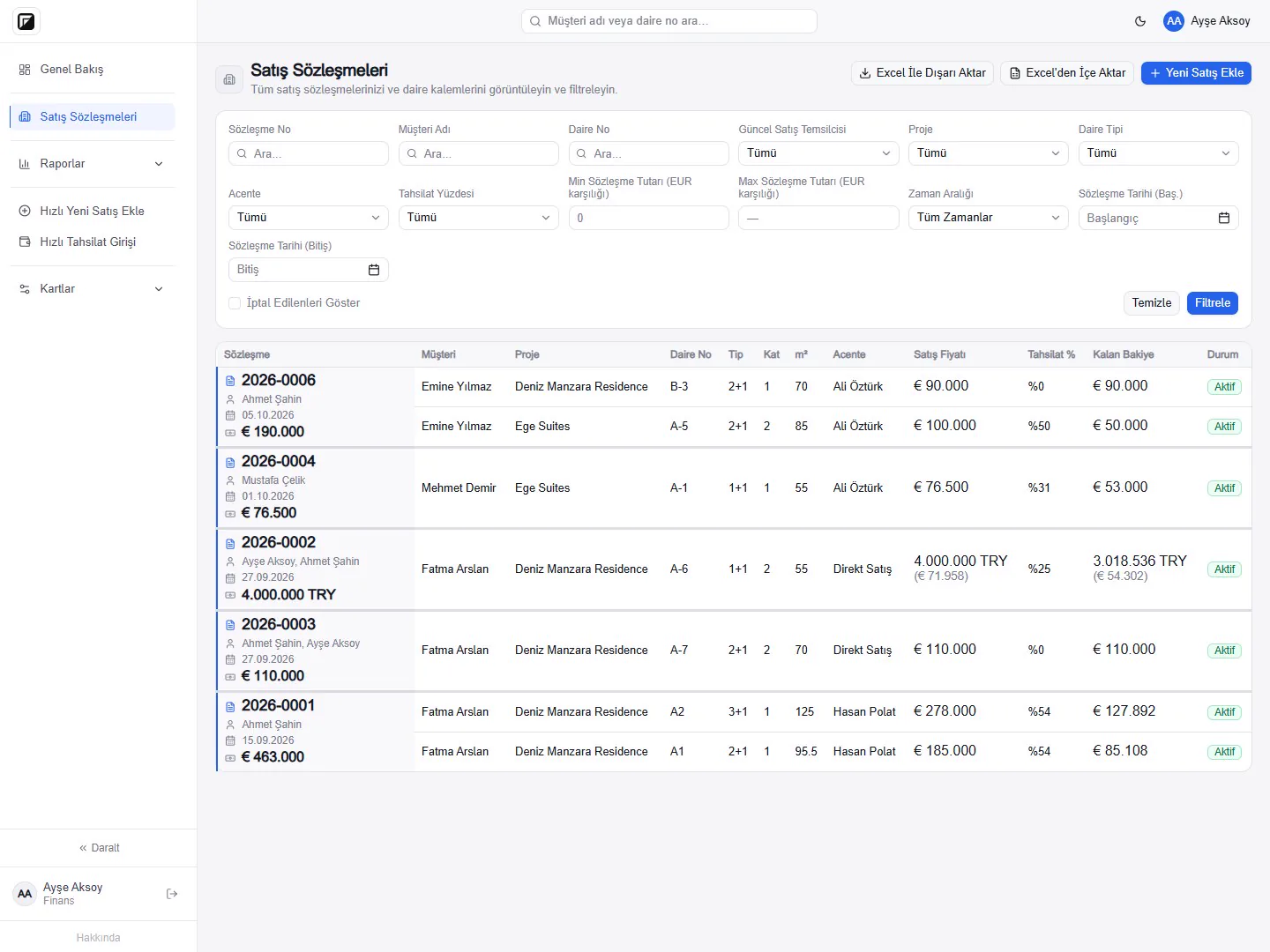
A sale runs through a contract card. Buyers, units, sale price, payment plan and collection status sit together on the card. One contract can include several units, and several buyers can be recorded with their ownership shares.
The sales channel (direct company sale, sale through a company representative, or sale through an agency) is recorded on the contract. The initial sales representative and the current representatives are kept separately, and changes are stored with their history. Each contract is held in its own currency with an exchange rate locked to the contract, so sales in foreign currency are tracked in the same list.
You can import past sales from Excel in bulk, and filter the sales list and export it to Excel.
Reports and overview
The Overview screen summarizes total sales, collected amounts, outstanding receivables and overdue amounts per project. Sales, collections and receivables, agency and commission, realized collections and sales team reports can be exported to Excel and PDF. Contracts in different currencies are converted to one comparison currency in reports; raw amounts in different currencies are never added together.
Customer card and notes
Every buyer has a customer card with contact details, nationality and passport information; passport and photo files can be uploaded to the card. All of the customer's contracts are listed on the same card. You can add notes to customer, contract, unit and agency cards, so a conversation with a buyer or a special condition on a unit is visible to whoever picks up the sale next.
Permissions and activity log
Users work with Manager, Finance and Sales roles. The sales team enters sales and prepares contracts; Finance edits money fields such as price, collections and commission; Managers can see every table. Adding, changing and deleting records is written to the activity log together with who did it and when.