Track agency commissions in one place
In new developments, part of the sales come through real estate agencies. Which agency sold which unit, how much commission it earned, how much of that has been paid and what is still open is often kept in a separate spreadsheet that drifts away from the sales data over time. In FORA, commission is part of the sale: the agency, the sale and the payments meet in the same record.
Commission is created with the sale
Commission only exists for sales made through an agency. When you enter the sale you pick the agency and enter the commission amount. FORA calculates the commission rate and the base price that remains after commission is deducted from the sale price. Direct company sales have no commission. Commission amounts and commission payments are edited by users with the Finance role; other roles can view the commission tables.
When several units are sold on one contract, the negotiated total commission is split across the units in proportion to their sale prices, so each unit's commission and base price can be tracked separately.
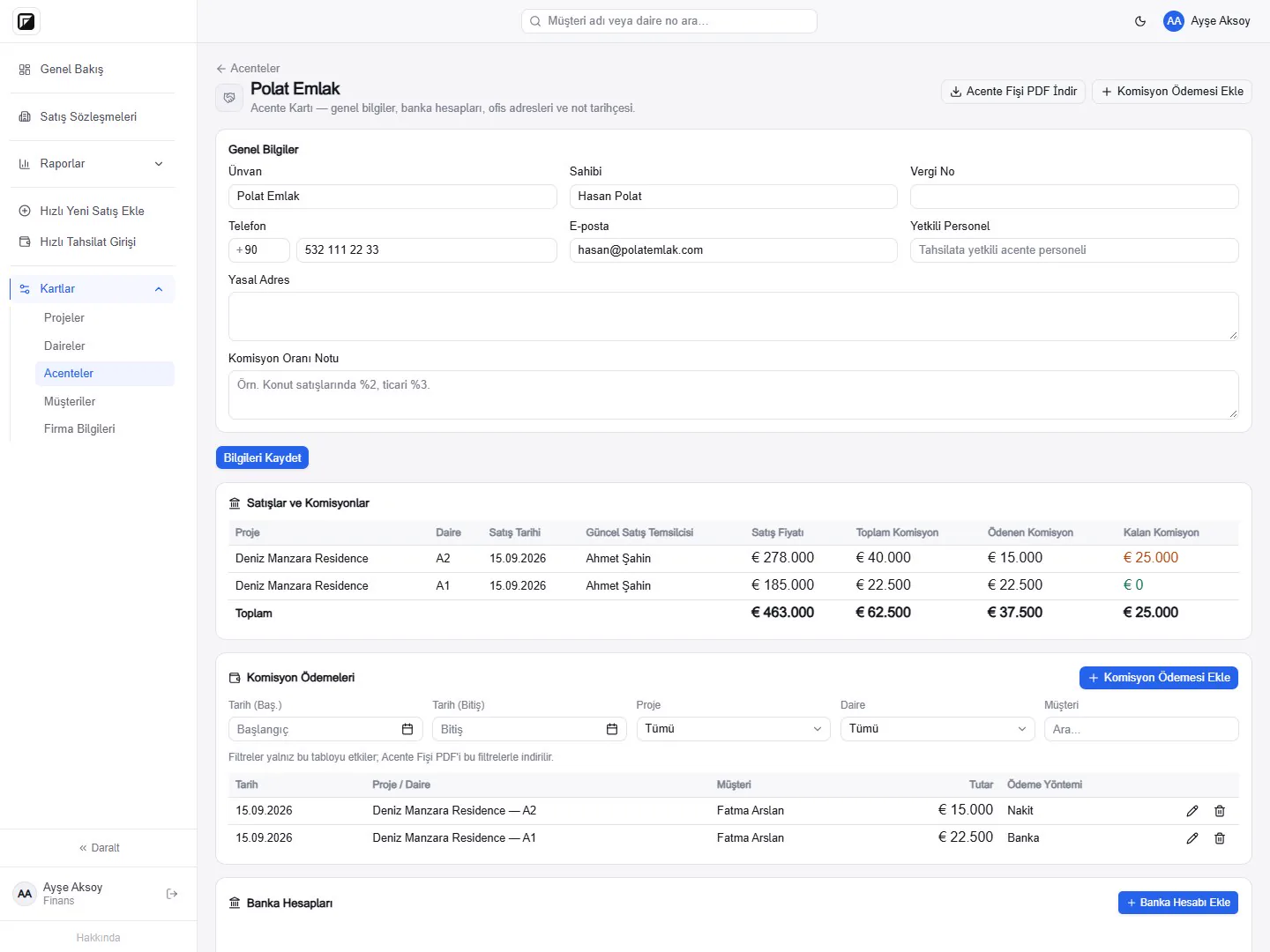
Agency card: sales and payments
Every agency has its own card with its name, contact details, bank accounts and a note on its commission terms. Below that, the agency's sales are listed with project, unit, sale price, total commission, paid and remaining commission.
You record commission payments on the card with date, unit, amount and payment method. You can filter payments by date, project, unit and customer, and download an Agency Receipt PDF with the selected filters to reconcile with the agency.
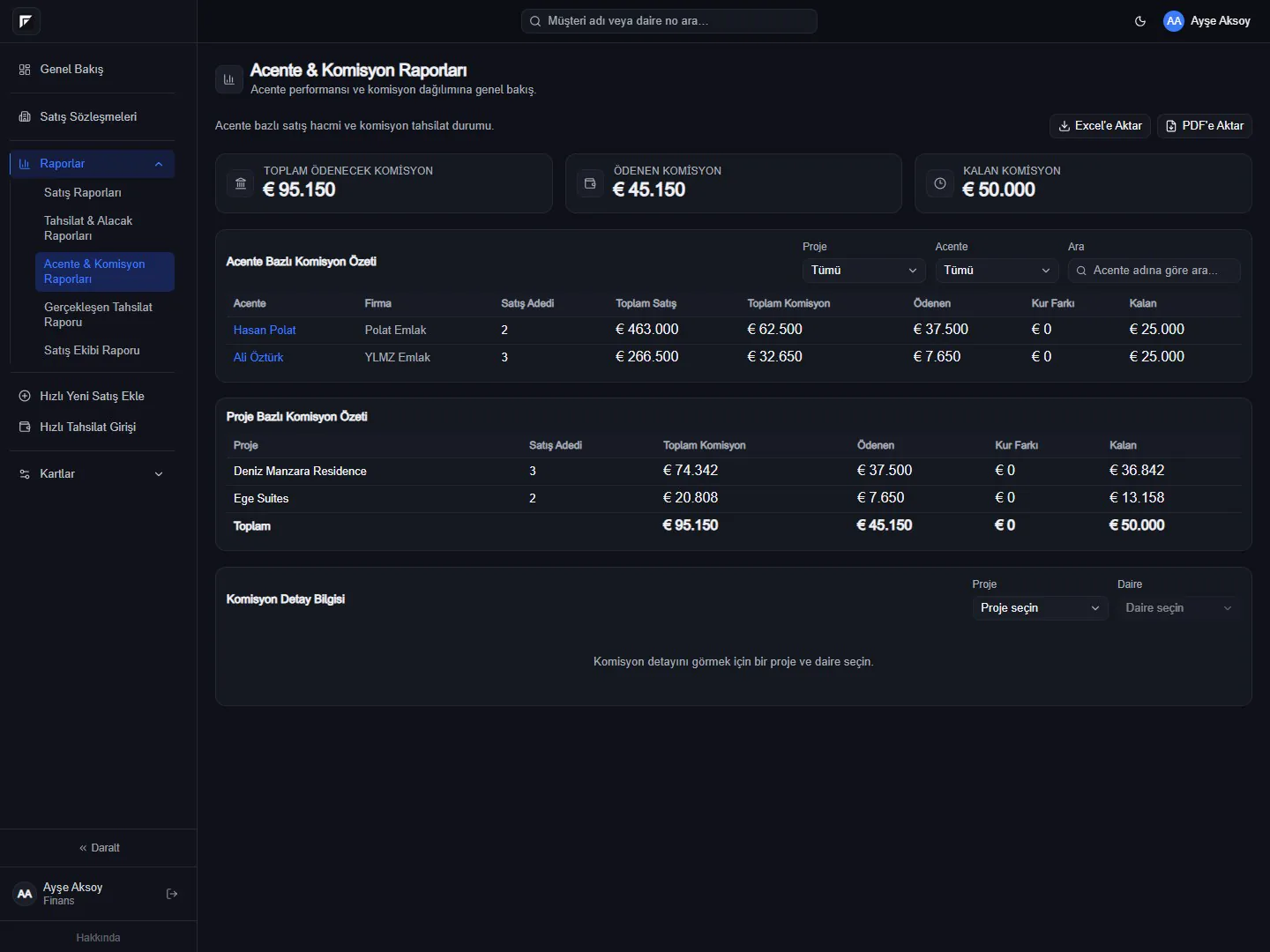
Agency and commission report
The Agency and Commission report shows total commission payable, paid and remaining at a glance. The agency summary lists each agency's number and value of sales; the project summary shows the commission position of each project. The report can be exported to Excel and PDF. With the project and agency filters you can focus on a single project or a single agency, and search by agency name. For sales in foreign currency, commission paid is converted to the reporting currency at the Central Bank of the Republic of Türkiye rate for the payment date (or a manually entered rate when needed), and remaining commission at the rate locked to the contract; the difference is shown separately in the exchange difference column.
Agency list
The agency list shows every agency you work with together with their contact details, and can be exported to Excel or PDF. The note history on the agency card keeps notes about commission discussions or payment schedules in one place. When you start working with a new agency, you can also create its card quickly while entering a sale.
No commission on buyer documents
The Customer Receipt PDF given to the buyer never contains commission information. In the sales contract, the agency section only appears for sales made through an agency; for direct sales the agency section of the template is hidden automatically.
Notifications for finance
If you wish, WhatsApp notifications are switched on during onboarding for the numbers of your Manager and Finance users; when a commission payment is entered, the agency, amount and related sale are sent to those numbers.